MT5 and MT4 trading journal
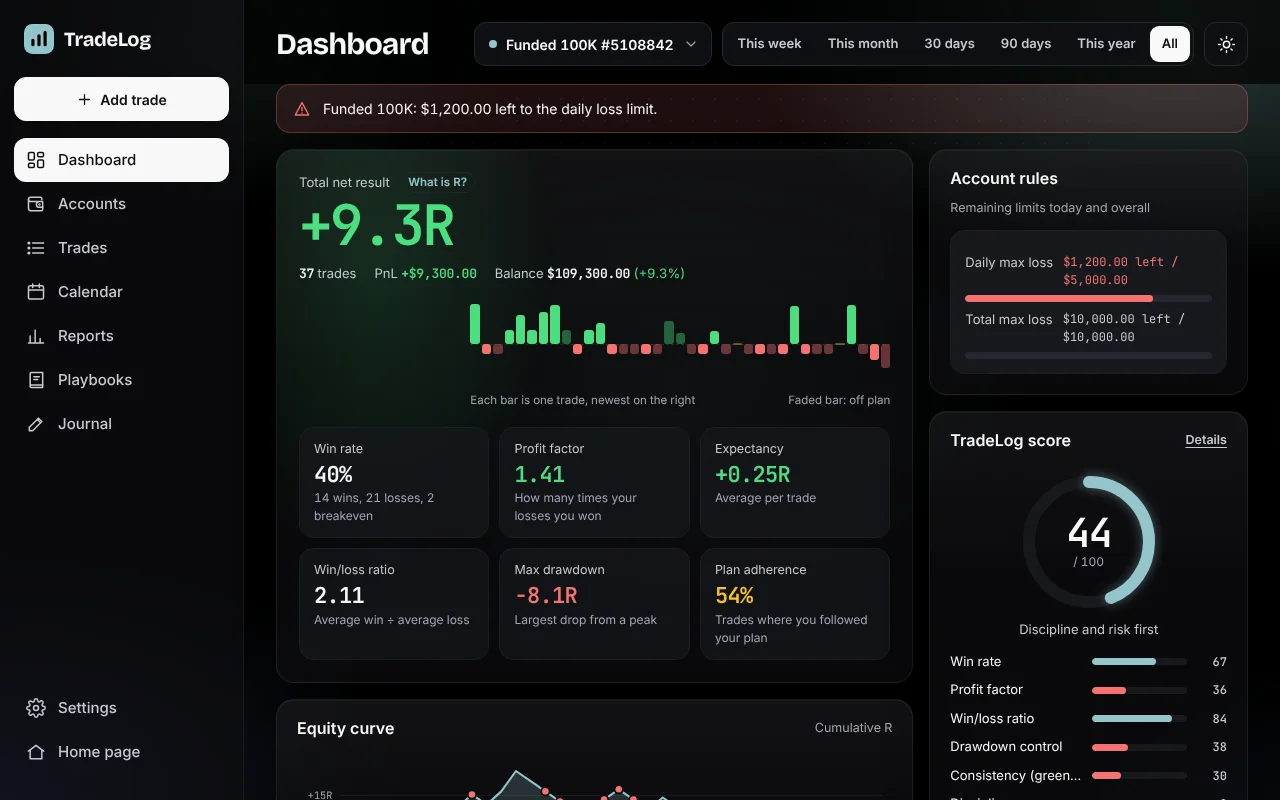
TradeLog brings the trades from your MetaTrader 5 and MetaTrader 4 accounts into your journal without typing them one by one. It measures every trade in R (multiples of risk) and shows, in numbers, which setups, sessions and mistakes make or cost you money.
Two ways to bring your trades in
- Upload a report (free): save your history report from the MT5 or MT4 desktop app as HTML or Excel and drop it into TradeLog. Trades, deposits and withdrawals are added to your account; ones already added are skipped and your manual entries are matched.
- Auto-sync (Pro): connect your account once with the server name, account number and your investor (read-only) password. Your history comes in, and new trades arrive on their own every weekday night. You don't need to open the app.
How to export an MT5 report
- In the MetaTrader 5 desktop app, open Toolbox → History.
- Right-click the list and choose the period (e.g. All history).
- Right-click again → Report → HTML (or Open XML) and save it.
- Drop the file into Add trade → Upload a report in TradeLog.
In MT4, right-click in Terminal → Account History and choose Save as Detailed Report. The phone apps can't export reports; use the desktop app or auto-sync instead.
Your account stays safe
- We never ask for your master password. Auto-sync only uses the investor password, which can't open trades or withdraw money.
- The investor password is used once to make the connection and is not stored.
- Report files are read on your device; the file itself is never sent to our servers.
- Your data is encrypted and hosted in Germany; it is never sold or used for advertising.
What your MT5 trades will tell you
- Results in R: net R, win rate, profit factor, expectancy per trade, max drawdown.
- Setups and sessions: which setups, days and hours pay off.
- Cost of mistakes: how many R tags like early exit, FOMO or moved stop cost you.
- Calendar and weekly recap: every day's result and 1–3 concrete suggestions for next week.
- TradeLog AI (Pro): a coach that reads your journal and answers in numbers.
Which brokers it works with
Most brokers and prop firms that run MetaTrader 4 or MetaTrader 5. Report upload works with any MT4/MT5 account; auto-sync needs the account's server name and investor password. You can also log trades from other platforms by hand. See the None for details.
FAQ
Is it free? Report upload and every report and analysis are on the free plan, with no trade limit. Auto-sync and TradeLog AI are on Pro, which you can try free for 7 days.
How often do trades update? Connected accounts sync every weekday night; you can also sync now up to 3 times a day per account.
I run several accounts. Track personal, challenge and funded accounts separately and see them all on one dashboard. Copied trades count once in the combined view.